Features
Everything for the drive, on one screen.
DriveNova turns your Android car player into a modern dashboard: your own car on the home screen, a live map with voice guidance, “Hey Nova” voice control, music, radio, car care and engine data.
Six layouts
Pick the look that suits your car.
Every layout has a day and a night look. DriveNova switches at sunset by itself, or you can choose. Change the layout any time from the Garage, or say “Hey Nova, switch to Onyx”.
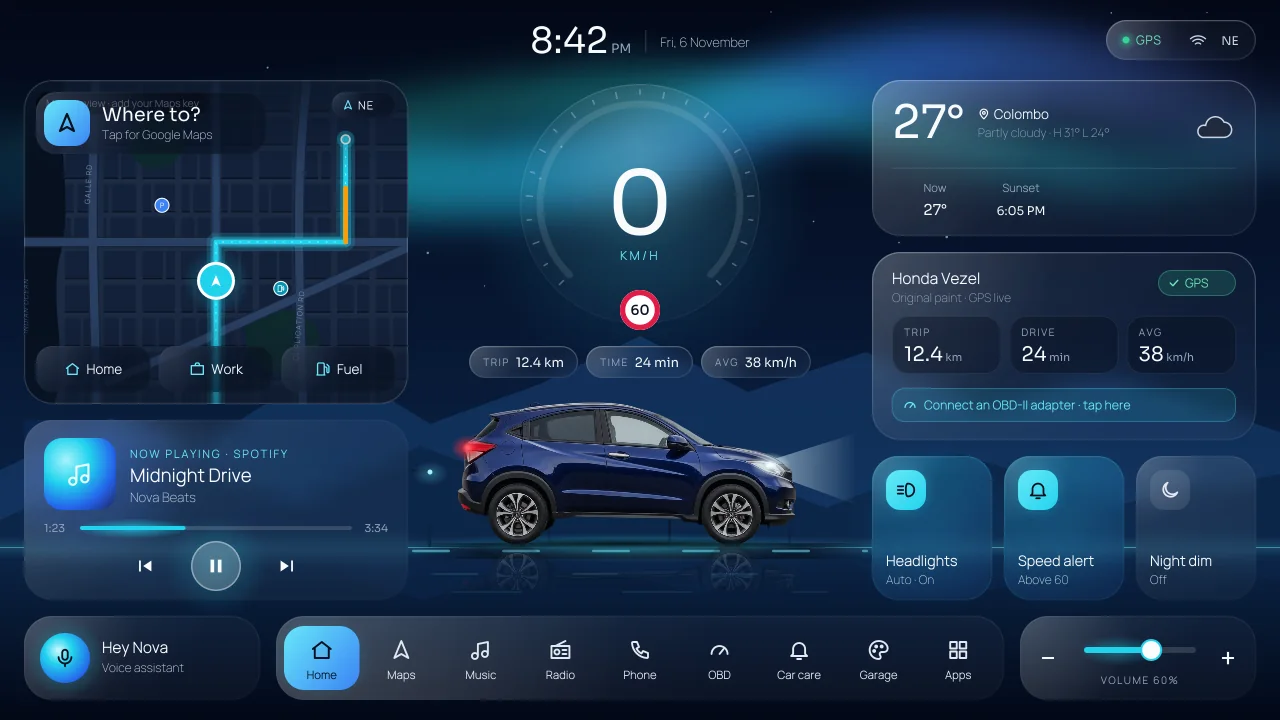
Aurora
Frosted glass under a night sky and northern lights, with a lakeside road that glides past while you drive. The DriveNova classic.
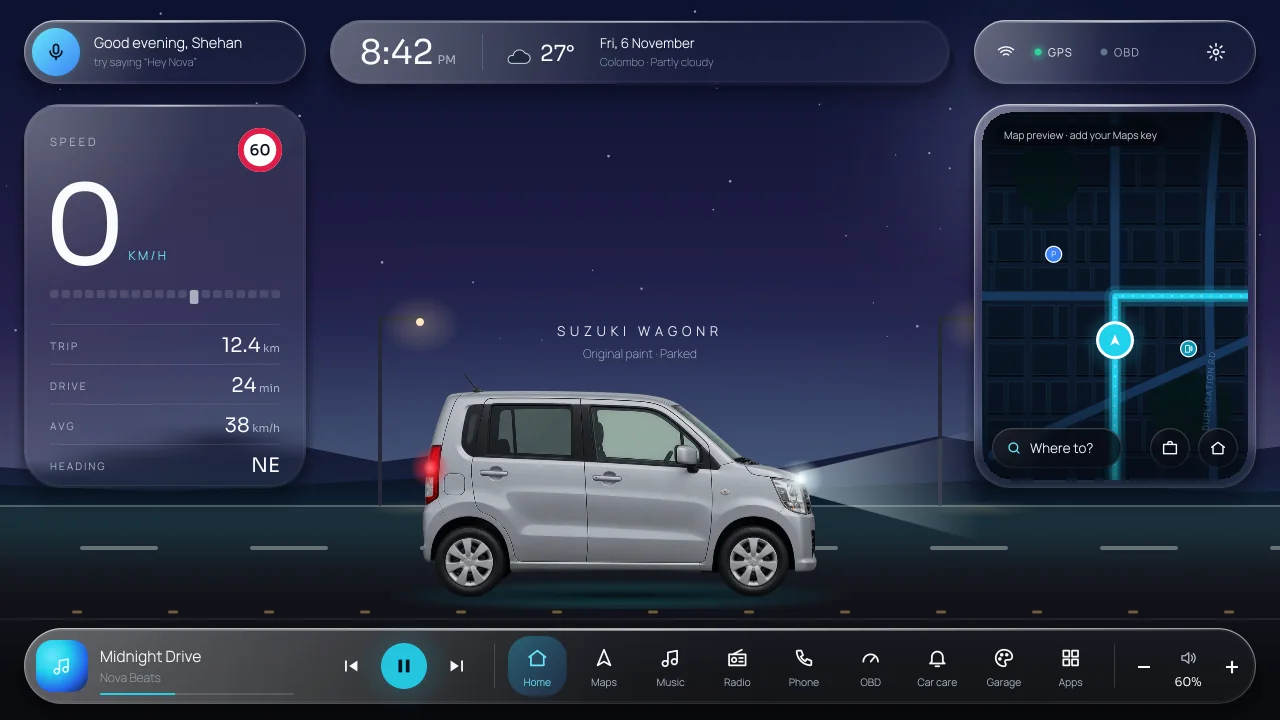
Horizon
Liquid-glass islands float over an open road. Lane marks, street lamps and wheels move with your real speed. Dusk sky at night, bright sky by day.
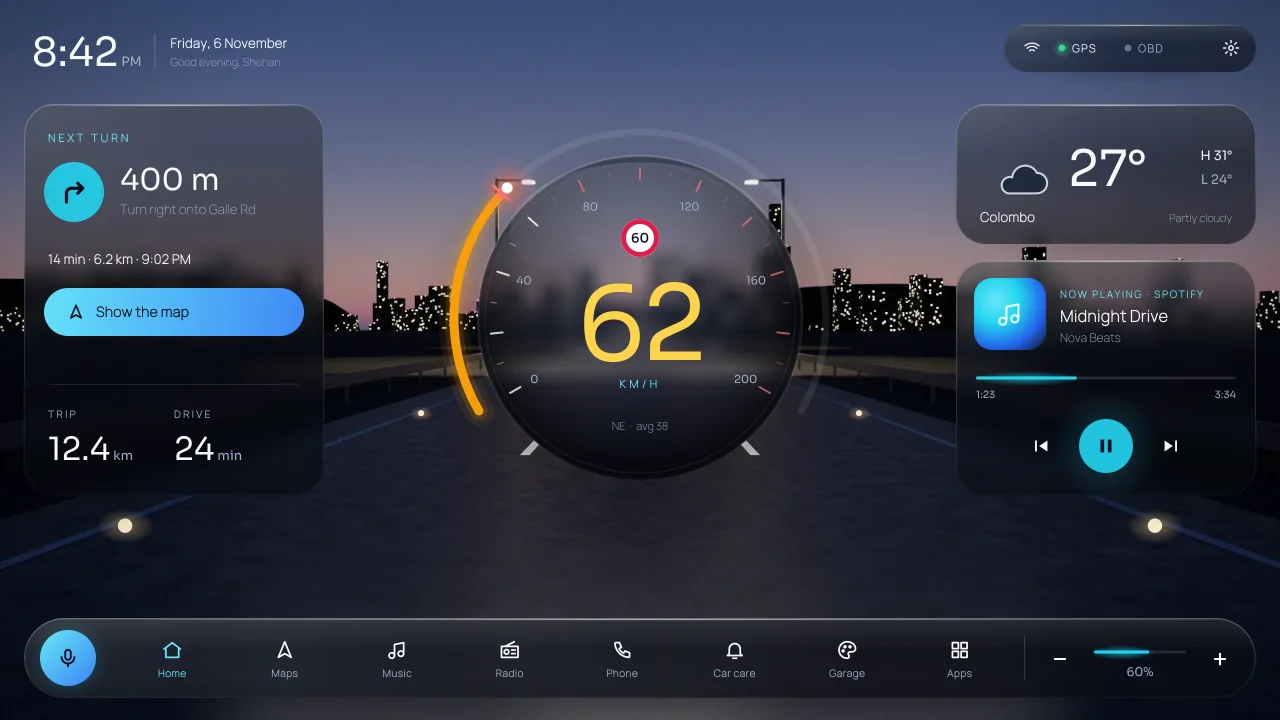
Velocity
A big glass speedometer over a photoreal highway that moves with you. Made for people who like to see their speed first.
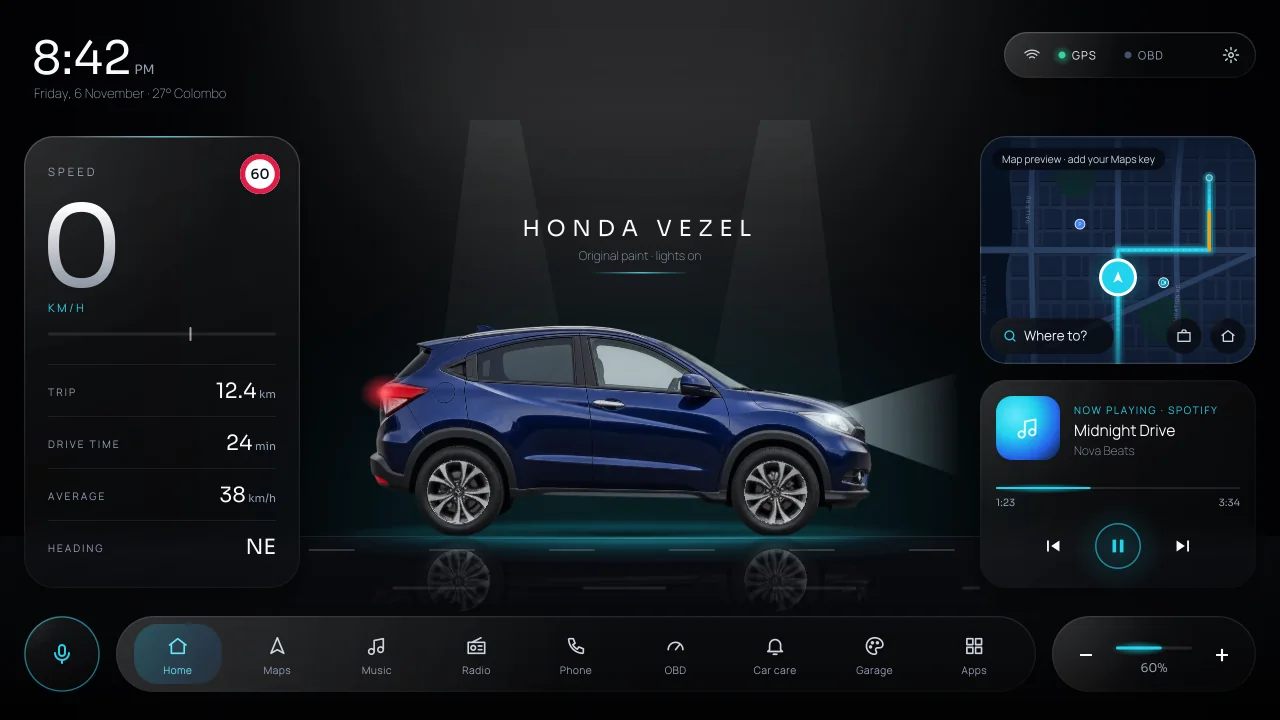
Onyx
A black showroom stage with your car as the hero on a glossy floor, thin numerals and slim glass columns.
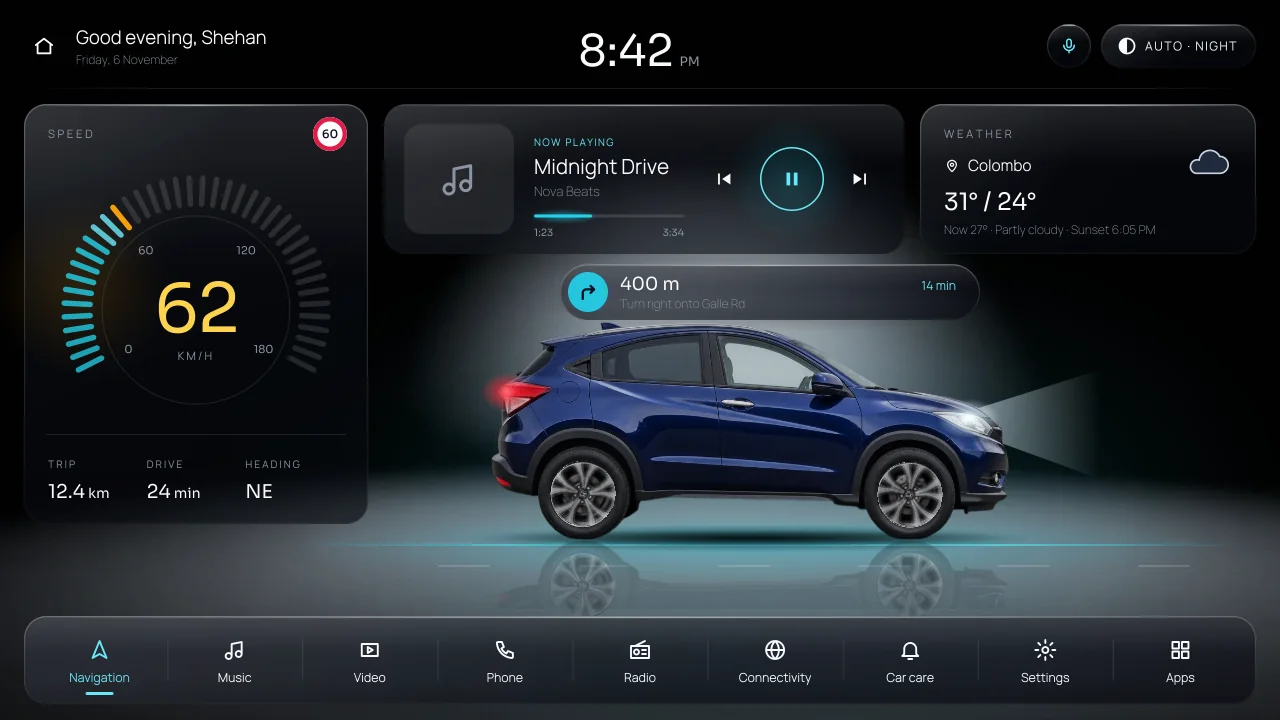
Studio
Clean cards over a night studio: speed, music, weather and the map around your car in the spotlight.
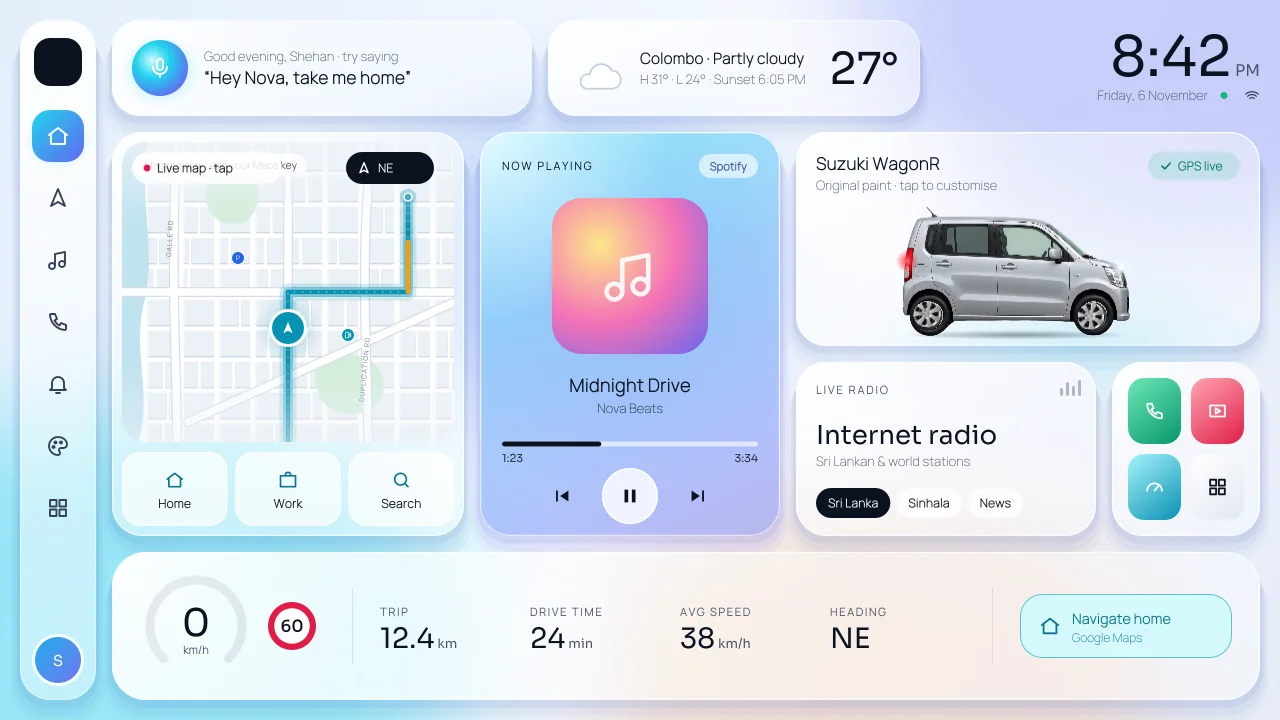
Crystal
Bright, light glass cards that stay easy to read in strong sunlight.
Your car
Your car, in real photos.
Choose your model and it appears on every layout from a real photo: Honda Vezel, Toyota Aqua, Suzuki WagonR and Suzuki Baleno, with more cars to come.
Paint it in any colour, or keep the original paint. The headlights and tail lights glow at night, the wheels turn while you drive and the car sits on a soft reflection.
Maps
A live map with turn-by-turn voice.
Search a place or say it, then tap Start. A large next-turn panel and voice prompts guide you, and DriveNova plans a new route if you leave it. Quick buttons take you Home, to Work, Fuel, ATM, Hospital or Food.
Prefer Google Maps or Waze? Choose it in Settings. Their next turn, distance and street still show on your home screen.
Hey Nova
Talk to your car in English, Sinhala or Tamil.
Say “Hey Nova” and then what you want: “take me home”, “play Sirasa FM”, “ගෙදර යන්න”, “find a fuel station”, “volume up”, “switch to Studio”. Nova answers out loud.
The wake phrase works offline and learns your own voice, so it ignores the radio and other passengers. Commands need internet.
And more
Small things that make every drive easier.
Music and internet radio
Song, artist, album art and controls from any music app (Spotify, YouTube Music, the built-in player). Sri Lankan, Sinhala, Tamil, news and world radio stations, with favourites.
Speed alert you can hear
Set your limit and a soft chime plays when you go over it, and a firmer one when you are 15 km/h or more over. Choose a chime, a voice or a beep.
Car care reminders
Revenue licence, insurance, emission test, oil change, service and driving licence. A badge and a banner tell you a week before each one is due. The odometer counts with GPS.
OBD car health
Pair a Bluetooth or Wi-Fi ELM327 adapter to see RPM, coolant, battery voltage, fuel level and live km/L, and to read and clear trouble codes in English or Sinhala.
Day, night and headlights
Day and night follow sunrise and sunset. Headlights can be automatic, on or off, and night dim keeps the screen gentle on your eyes.
Theme colours and store
Seven theme colours or any colour you like, 8 style packs, 6 wallpapers or your own photo, and new packs from the online store.
Weather
The weather where you are, the hourly forecast and the sunset time, on the home screen.
English, සිංහල, தமிழ்
The whole app, including dates, reminders and messages, in English, Sinhala or Tamil.
Built for 2 GB players
One fast screen and no lag. On slower units DriveNova lowers its frame rate by itself so the screen stays responsive.
Updates inside the app
When a new version is out, a banner tells you. Tap it to download and install. No Play Store needed.
Ready for a better drive?
Rs 999, once, for one car player. Every layout, colour and feature, with free updates.